
MacBook & MacBook Pro Repairs
Specialist repairs for all MacBook models
I repair all MacBook and MacBook Pro systems using advanced diagnostics and board‑level techniques.
Common issues repaired
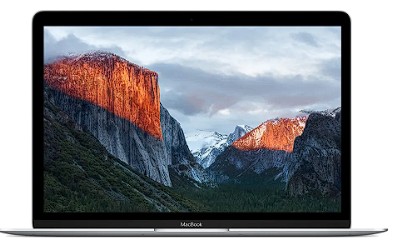
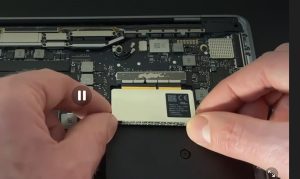
- Liquid damage inspection and board‑level repair
- No‑power, no‑image and random shutdown faults
- Battery, keyboard and trackpad replacements
- Charging problems and USB‑C port faults
Why this service stands out
- ✓ Board‑level repairs
- ✓ Liquid damage specialists
- ✓ Fast turnaround
- ✓ Save £££ vs Apple Store
iMac Repairs & Upgrades
Reliable repairs and performance improvements
I repair and upgrade iMac models from 2009–2019, including systems Apple no longer supports.
Common issues repaired
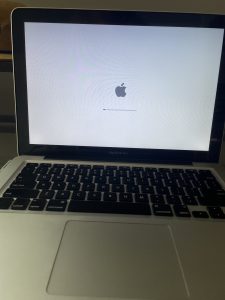
- iMac not turning on or stuck on Apple logo
- Hard drive to SSD upgrades for older iMacs
- Fan noise, overheating and slow performance
- GPU and power supply faults
Why this service stands out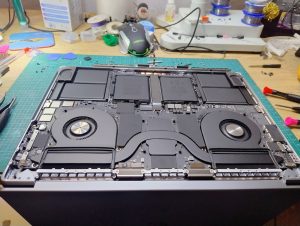
- ✓ Board‑level repairs
- ✓ Liquid damage specialists
- ✓ Fast turnaround
- ✓ Save £££ vs Apple Store
MacBook Pro (Retina & M‑Series) Repairs
Advanced repairs for modern MacBook Pro systems
I work on Retina and M‑Series MacBook Pro models using professional‑grade tools and component‑level diagnostics.
Common issues repaired
- MacBook Pro not turning on or stuck on loading screen
- SSD and storage upgrades (where supported)
- Overheating, fan noise and thermal throttling
- Logic board, GPU and power faults
Why this service stands out
- ✓ Board‑level repairs
- ✓ Liquid damage specialists
- ✓ Fast turnaround
- ✓ Save £££ vs Apple Store
Frequently Asked Questions
Quick answers to common repair questions
Do you only repair Apple Macs?
Yes. I specialise exclusively in MacBook, MacBook Pro, MacBook Air and iMac hardware.
Can you repair liquid‑damaged MacBooks?
In many cases, yes. Power the Mac off immediately and bring it in as soon as possible for the best chance of recovery.
How do I identify my Mac model?
You can use Apple’s official guide to identify your MacBook or iMac model.
Service Areas

Local Mac repair across Southport and Merseyside
I provide specialist MacBook and iMac repairs across Southport and the wider Merseyside region.
Collection and drop‑off can be arranged for local customers.
Areas covered
- Southport, Birkdale, Ainsdale, Churchtown, Crossens
- Formby, Ormskirk, Tarleton, Hesketh Bank
- Crosby, Bootle, Liverpool
- Wider Merseyside & Lancashire
If you’re nearby and need fast, expert Apple Mac repairs, I can help.
What To Do If Your Mac Gets Wet
Immediate steps to prevent further damage
Liquid damage is one of the most common issues I repair. Acting quickly makes a huge difference.
1 — Turn it off immediately
Hold the power button until it shuts down. Do not test it.
2 — Unplug the charger Disconnect power straight away. Electricity and liquid cause instant board damage.
3 — Avoid heat
Do not use hairdryers, radiators or airing cupboards. Heat spreads liquid and warps components.
4 — Do not turn it back on
Even if it looks dry, powering it on can cause irreversible damage.
5 — Remove excess liquid
Gently wipe visible liquid. Do not shake the Mac.
6 — Bring it in for professional cleaning
I use ultrasonic cleaning and component‑level repair to remove corrosion and restore the board safely.
Fast action gives the best chance of saving your Mac.
Call: 073400 17301
Email: enquiry@applemacmender.co.uk
[google-reviews type=’slider’ place_info=’true’ style=’10’]